LCARdS 2026.10.0
Not released yet
These notes cover the dev builds of the next release and grow with each one. Dev builds are pre-releases on GitHub; install them only if you want to help test.
A big one. The chart and data grid cards are rebuilt from the ground up, every studio and Main Engineering panel now shares one look, and dashboards download a fraction of what they did. LCARdS now needs Home Assistant 2026.10.
- Charts rebuilt: history, long-term statistics and data sources in one
sources:list, time spans and grouping like apexcharts-card, and ApexCharts 7. - Data grid rebuilt: conditional cell colours, header rows, tap actions and change highlights.
- Main Engineering and the studios: one consistent look, a live processor preview for data sources, a new template sandbox and a provenance inspector that shows where every value comes from.
- Colours that behave the same everywhere: every colour format works in every card, and alert modes recolour all of it at once.
- Faster: dashboards download about 420 KB instead of the whole 9 MB bundle; editors and the config panel load only when you open them.
- Help when something breaks: a health check and a prefilled bug report in the config panel.
- Docs you can play with: live cards, galleries and playgrounds on the docs site, and this new Releases section.
Before you update
- Home Assistant 2026.10 or newer is required. On older versions the integration logs an error and does not load. Update Home Assistant first.
- Older chart and data grid configs keep working. They are converted in memory on your dashboard; nothing is saved. When you open one in the card editor, it shows the converted config and a notice: press Save to keep it, Cancel to leave your config as it was. See the chart and data grid upgrade pages for what changes.
- Rules: a plain-text
condition:no longer matches. A condition such ascondition: light.desk is on(no[[[ ]]]or{{ }}) used to count as true for every state. It now never matches and logs a warning. Wrap it as JavaScript or Jinja2; see rule conditions. - Rules: priority on cards now works the documented way round. Rules set on a card used to apply lower
prioritylast, so it won. Now the higher priority wins, as the rules docs say. If you tuned priorities to get the result you wanted, check them. - Rules:
apply.profilesis retired. It never had an effect; the editor now warns about it. Remove it from your rules. - Elbow: a single
segment.colorvalue now applies. A plain colour (rather than a per-state map) was ignored and the theme colour showed instead. Elbows with one colour set will now show it. - Data sources: the snake_case timing keys now apply.
window_seconds,min_emit_ms,coalesce_ms,max_delay_msandemit_on_same_value(what the data source editor writes) were ignored before. If you set them, your sources now update on that timing.
New features
Charts, rebuilt
Every series now lives in one sources: list, and each entry says where its data comes from: an entity's history, its long-term statistics, or an LCARdS data source.
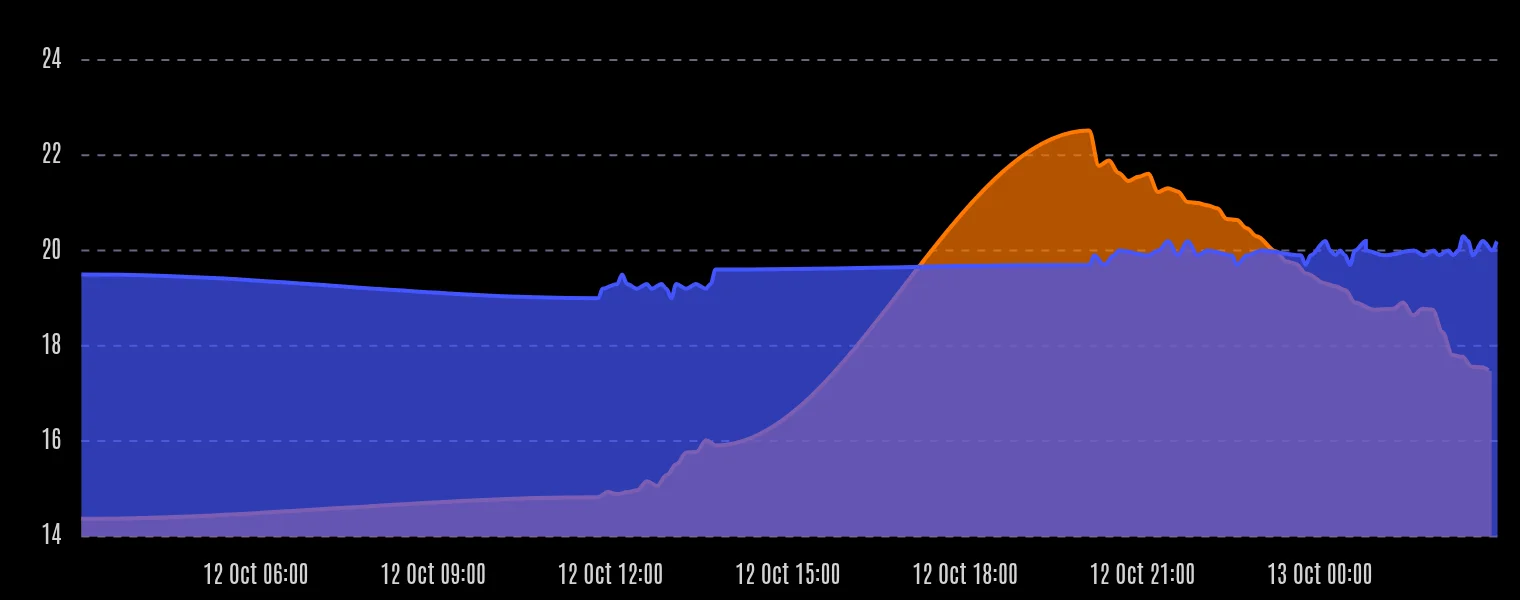
type: custom:lcards-chart
chart_type: line
graph_span: 24h
sources:
  - entity: sensor.outdoor_temperature
    name: Outside
  - entity: sensor.indoor_temperature
    statistics: { type: mean, period: hour }
name: Inside (hourly)- Time like apexcharts-card:
graph_span, span start, end and offset, andgroup_by(average, min, max, sum, median, delta and more, plus min/max bands, box plots and candlesticks). - Several y axes, per-series units, precision, colours, line style and chart type.
- No point cap: charts fed by data sources were limited to 1000 points.
- Pie, donut, gauge, radar and treemap charts now plot each series' latest value, so they render properly.
- ApexCharts 7, loaded only on pages that show a chart.
- Chart Studio: a new Time and axes section, a YAML tab with completion, and data source management inside the studio.
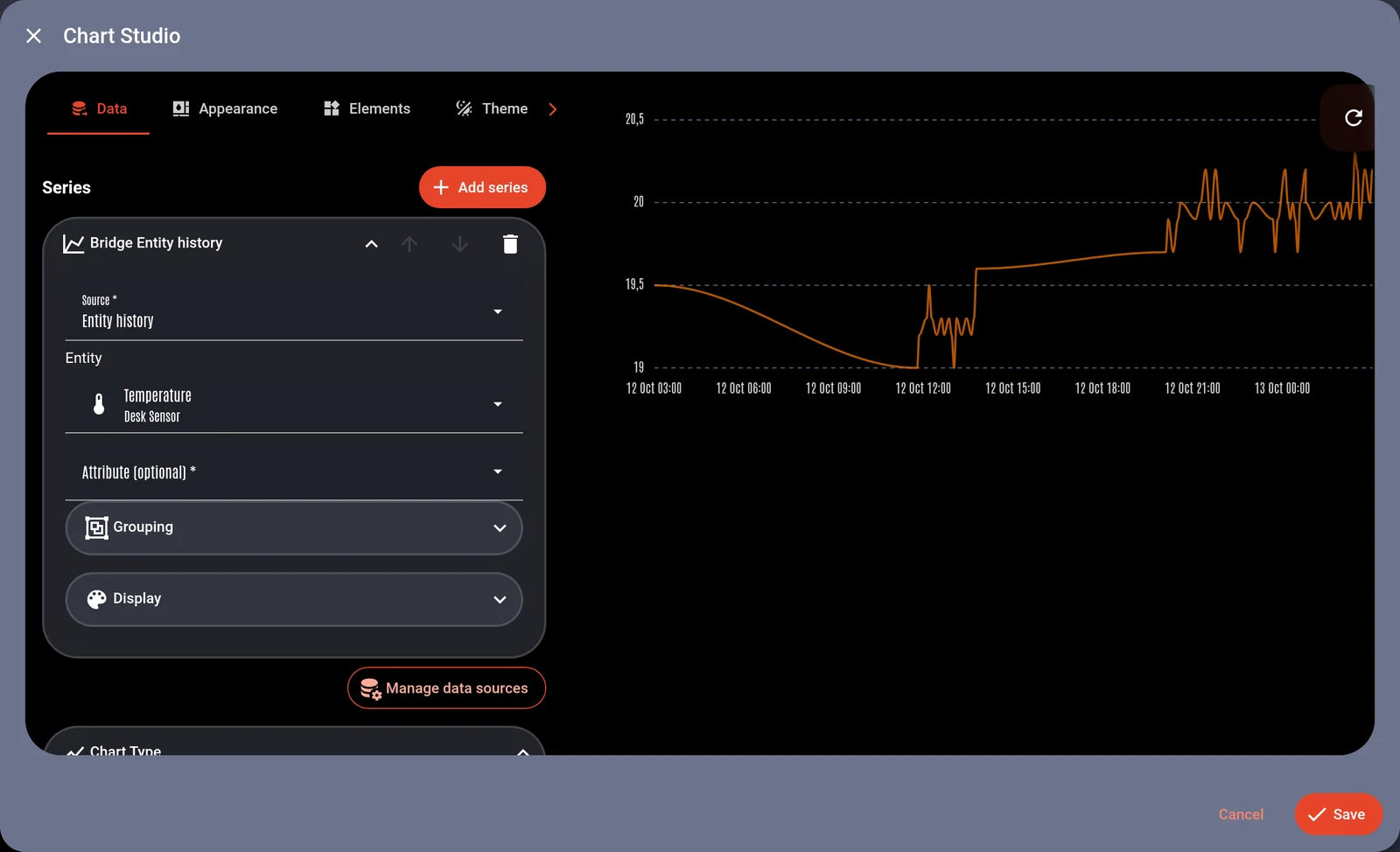
Coming from apexcharts-card? The upgrade page maps its options. Full details in Series and time, and try it in the chart playground.
Data grid, rebuilt
- Conditional cell colours: colour a cell by its value or state.
- Header rows, tap actions on cells, column formats and a
refresh_cellsoption. - Change highlights:
highlight_changesflashes cells when their value changes. - Template and data source cells refresh reliably, and the Data Grid Studio adds, inserts and deletes columns correctly.
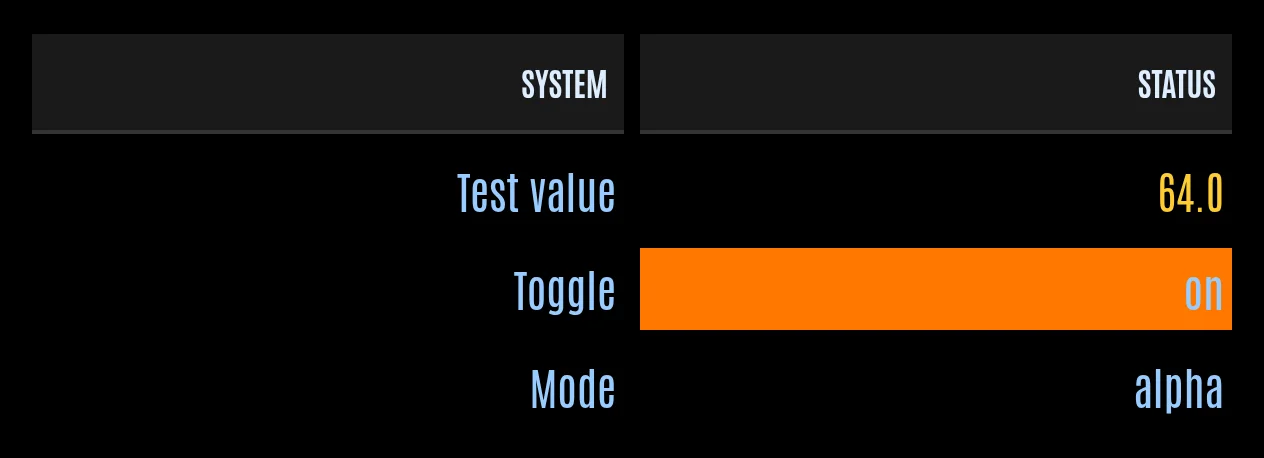
See Data and Styling, or the data grid playground.
Main Engineering and the studios
Every studio (Chart, Data Grid, Layout, MSD, data sources, templates, provenance) now uses the same layout: tabs on the left, a live preview beside them, short help and the same buttons in the footer. Longer explanations sit in collapsible guides.
- Data sources: a live preview runs your processors over the entity's real history and charts the result against the raw values. Processors are edited inline, in the order they run. "Use in a chart" copies a ready chart config for the source.
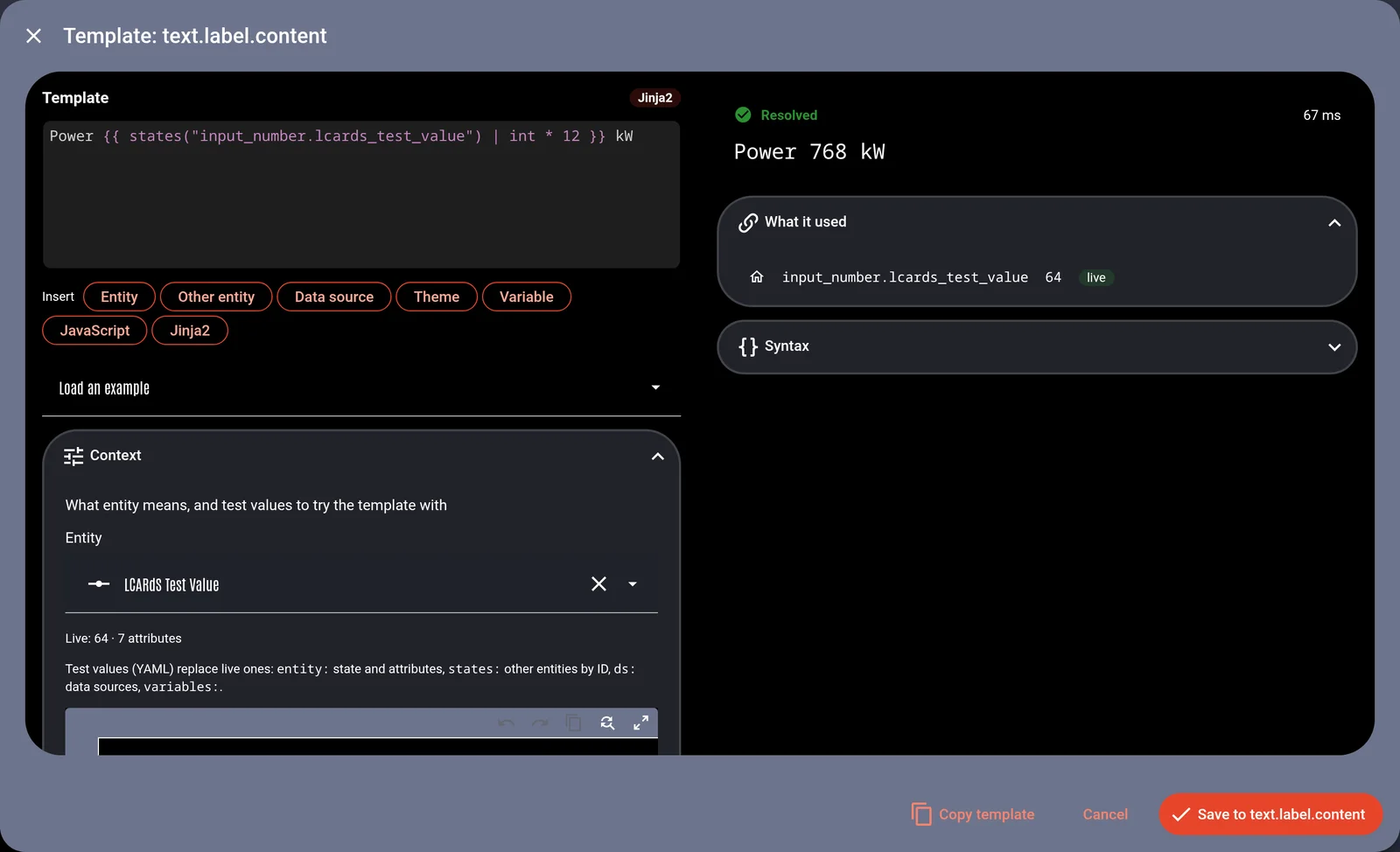
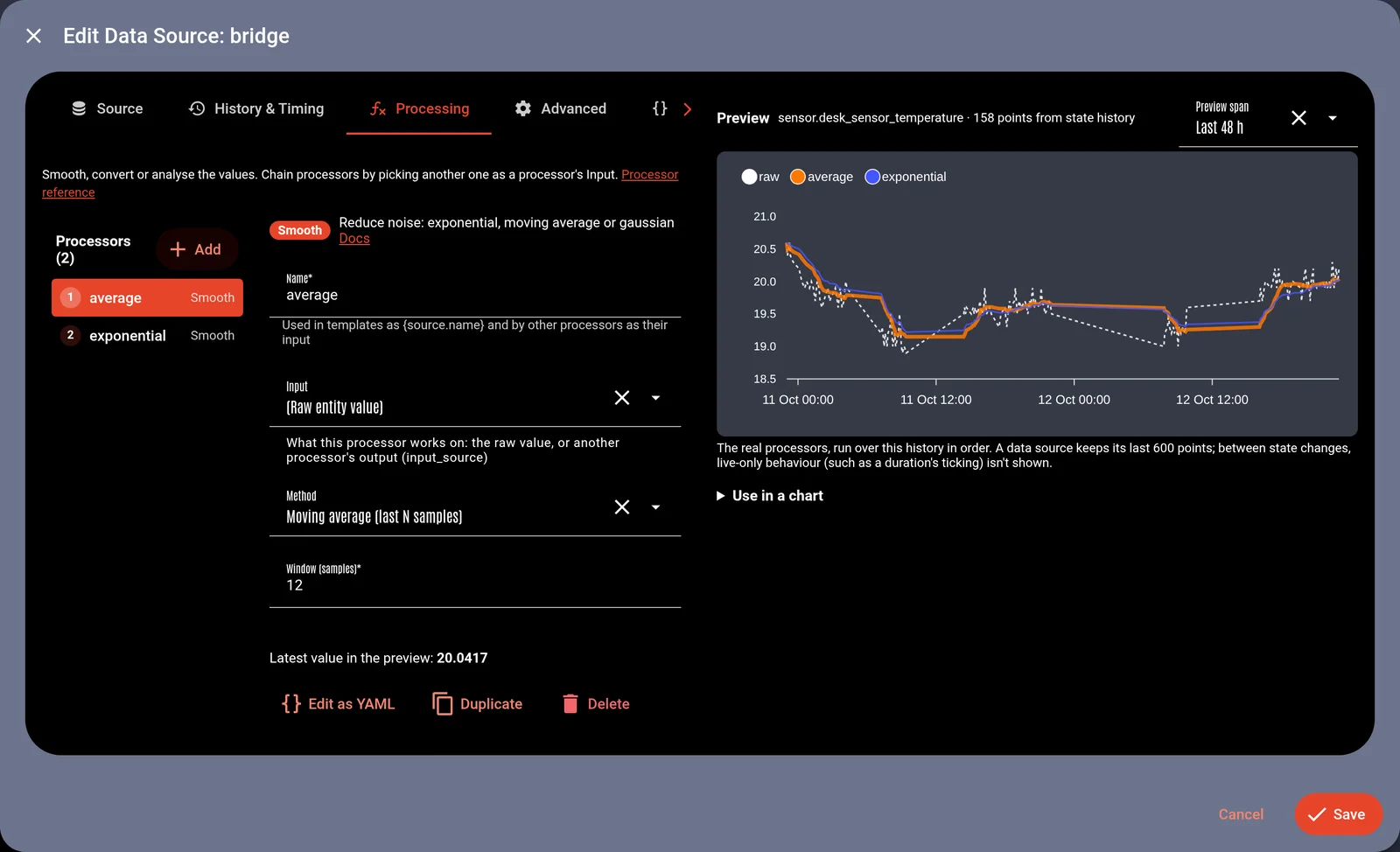 - **Templates:** each field with a template shows its live result. The new sandbox has completion for entities, attributes, data sources and theme tokens, test values and "Save to field".
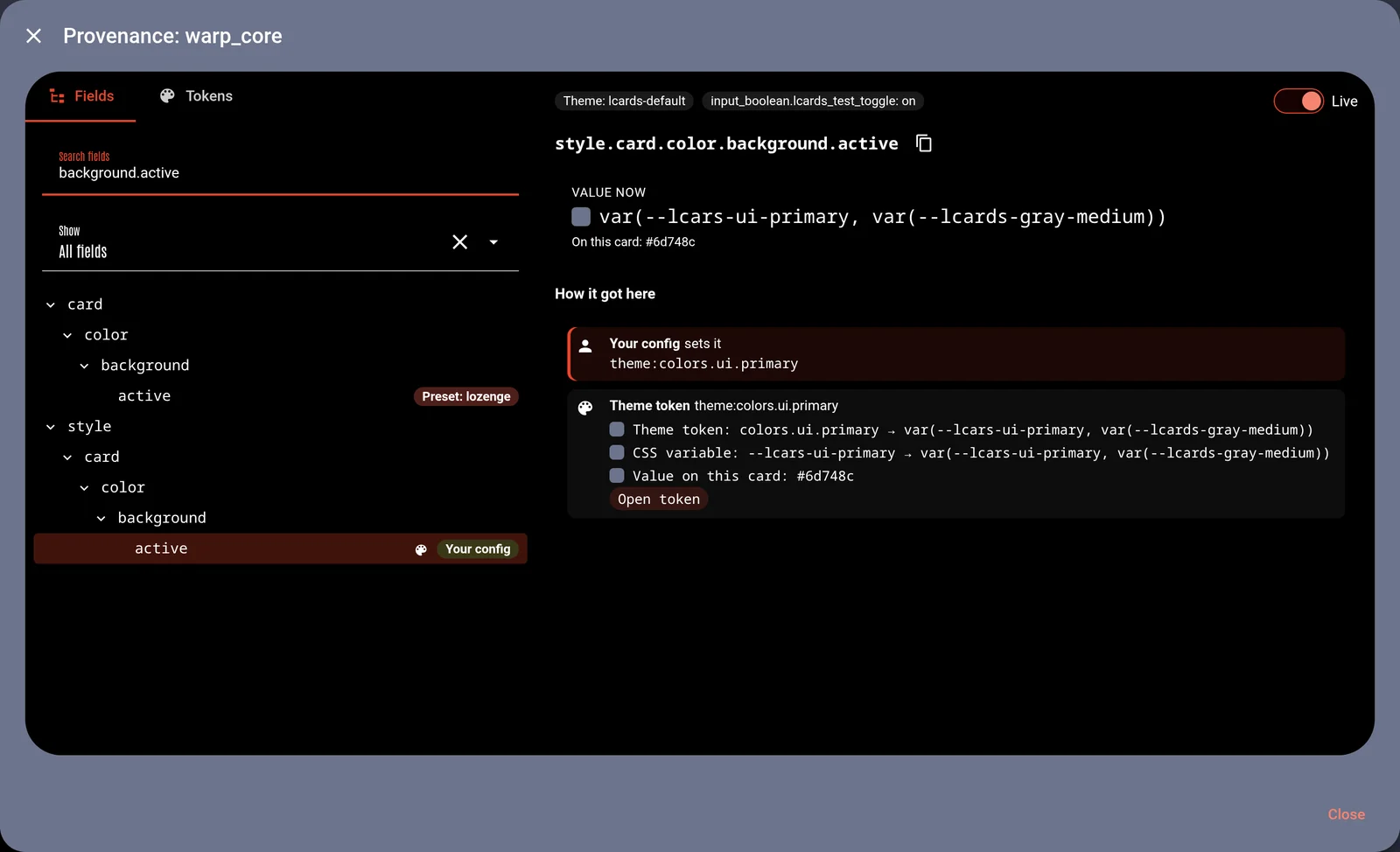
 - **Rules:** this card's rules edit as YAML with completion; new rules show at once, and edited ones say when a refresh is needed. - **Provenance:** pick any field to see how it got its value: your config, presets, theme tokens, templates and rules applying now. It updates live.
 - **Theme:** the tokens this card uses, with their values, and links to the Theme Studio. - **Schema help in every YAML tab:** completion, hover descriptions, an "Options here" panel and links to the docs.
See Main Engineering.
Support and system info
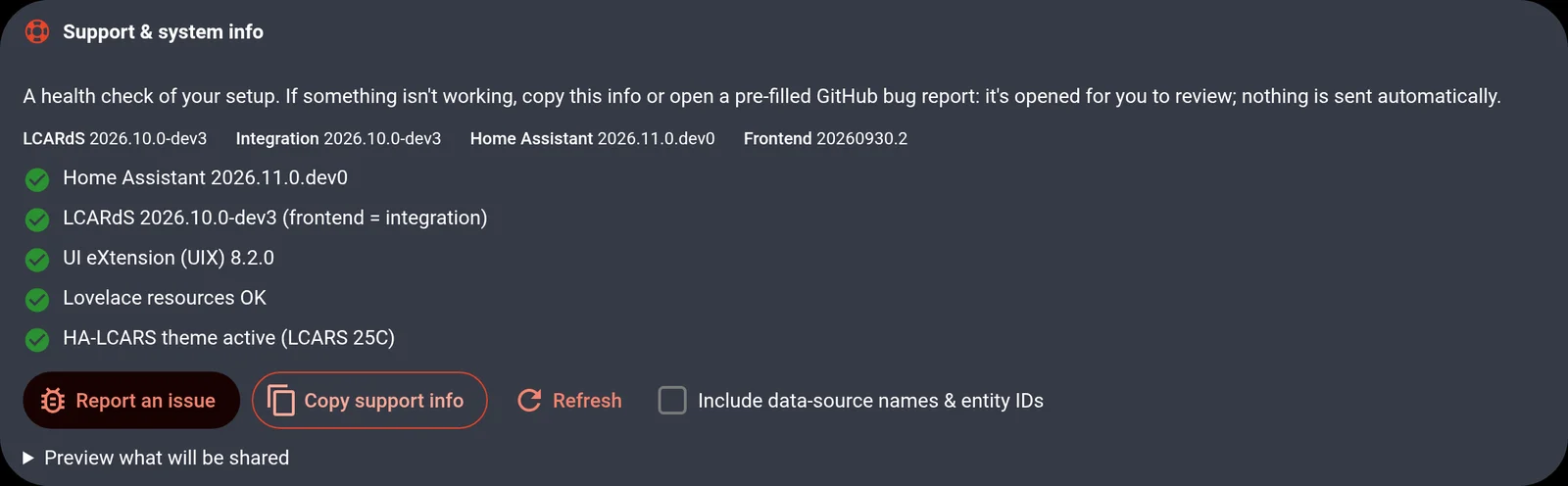
The config panel's Welcome tab now has a health check: Home Assistant version, frontend and integration versions matching, card-mod or UIX setup, leftover resources, the HA-LCARS theme and safe mode, each with a fix. Report an issue opens GitHub's bug form already filled in with your system info; you see exactly what is shared before you submit. See Getting help.
Slider: drag value badge
While you drag a slider, a small badge follows your finger with the value it will set, like Home Assistant's own sliders. Colours, size, number format and how it fades out are configurable. See Drag value badge.
Live docs
The docs now render real LCARdS cards. Examples for buttons, elbows, sliders, select menus, charts and data grids are live; card pages have galleries of every preset and style; each card has a playground with completion and Copy YAML; and the processor reference runs each processor over sample data.
Improvements
- Colours, one set of rules: every colour field in every card accepts the same formats: hex, any CSS colour name,
rgb()andhsl()in comma or space syntax,oklch(),color-mix(), CSS variables, theme tokens and the colour functions (alpha,darken,lighten,saturate,desaturate,mix,base). Functions nest, such asalpha(darken(var(--lcards-orange), 0.2), 0.5), and a plain colour works the same as a state map. See Colours. - Alert modes recolour everything at once: cards repaint while the alert transition is still running, so the new palette is already there when it clears. That includes charts, MSD lines and shapes, data grid cascades and background animations, which used to keep the old colours until something redrew them.
base()everywhere: alert-proof colours now also work in animation and effect settings.- Faster dashboards: about 420 KB to download instead of the whole 9 MB bundle. Card editors, the config panel and the Theme Studio load when you open them, and the files are served compressed.
- Dialogs inside Home Assistant: entity pickers and other HA controls in LCARdS dialogs work again (for example "New from Entity" in the Chart Studio).
- Overlays: cards shown in alert, connection or portal overlays stay live on pages without LCARdS cards, and their actions (more-info and so on) reach Home Assistant.
- Layout view: rows collapse for every kind of visibility condition set in HA's Visibility tab, and no longer recalculate on every state change.
- Data sources load history at full resolution first (hourly statistics only when there is none), and wait for Home Assistant before loading on a cold start.
- No emoji or em dashes in the editors; messages are shorter and use Home Assistant's own dialogs.
Fixes
All fixes
- Button: colour animations on the button background and border now play (#401).
- Rules: rules on a card stopped applying after Home Assistant moved the card (edit mode, layout changes, navigation);
entity_attrconditions never matched; JavaScript conditions read the previous state; JavaScript and Jinja2 conditions didn't react to their entities;condition: |blocks broke JavaScript parsing. - Templates: inline
{theme:...}tokens rendered empty; a label mixing{token}and{{ jinja }}lost the Jinja2 part. - Charts: month names were garbled ("May" became "5ay"); custom tooltips were invisible; gradients, legend and label font sizes and annotation colours were ignored; long decimals on the y axis; statistics charts squeezed every column to a hairline; charts stopped after leaving and returning to a view.
- Data sources: statistics and smoothing ignored
input_source; an expression listed before its sources read nothing;attribute: stateseries were empty; new sources from the editor found no history. - Data grid: card size errors, cells escaped twice, animations leaking after the card was removed.
- Slider: units for lights, covers, fans, humidifiers and valves default to %, and units show for non-numeric entities.
- Layout card: the Layout Studio's grid tools were missing on a fresh page.
- Colours: a new slider or button reported false "Format validation failed" warnings;
mix()colours were flagged as invalid; nested colour functions (including the documentedalpha(base(...))) and theme tokens inside a function did not work; a colour function written as a plain value reached charts unevaluated;theme:darken(...)in card config was never evaluated;darken(),lighten()andsaturate()dropped transparency;base()followed the alert for theme colours defined withcolor-mix()or a colour name. - Validation: chart series names with a dot (such as
statistics.min) were reported as missing entities. - Shape textures: a colour template could not return a colour function or theme token, and
match-lightonly worked forcolor. - Editors: several icon buttons had no icon, and colour chips showed as deselected when re-clicked.